DVX DetailerStart a trial

For steel detailing offices that work in Tekla Structures 2026

Describe. Review.Model.

DVX Detailer connects the AI assistant your office already uses to your own Tekla Structures 2026. Ask for members, joints, drawings and checks in plain words. Each change can be shown as a dry run first, and every call is recorded.

Works with Claude Desktop, Claude Code, the ChatGPT desktop app and Codex, and LM Studio · Windows · your own licensed Tekla Structures 2026

DVX Detailer works with Tekla Structures. Not affiliated with or endorsed by Trimble.

You

Put the saved purlin joint on every purlin end.

Assistant

Dry run: 358 purlin ends match. Nothing has changed in the model yet. Shall I build them?

You

Yes.

Assistant

Built 358 joints in about 2 minutes, each batch committed as one undo step.

Illustrative exchange. The count and the time are from the factory field test.

Watch DVX Detailer working in Tekla Structures, from a plain request to the result in the model. Some parts are sped up.

3 h 57 min

from the engineer's documents to a detailed factory with 118 drawings

Factory
358

purlin joints placed in about 2 minutes, from one saved joint

Factory
4 models

built at the same time by one session: 6,463 calls, none in the wrong model

Four models
0 findings

in the final model audit of a 4,422-part office frame

Four models

Measured in field tests on Tekla Structures 2026. Times are agent working time: compare the figures with your own hours.

Why

Work that is easy to describe and slow to click

Most detailing hours do not go to decisions. They go to carrying a decision out: the same end plate on every joist, the same cleat on every purlin, the same look around every node.

The same joint, hundreds of times

One detail, repeated on every purlin end or joist end of the building.

Input that disagrees with itself

A label that differs between two sheets, a level nobody marked. The risk is a silent guess.

Checking by orbiting the model

Duplicate plates, a bolt group through one part, a beam that only looks connected.

What it does

What you can ask for

Input

Start from what the engineer sent

It reads DWG and DXF drawings directly, and your assistant reads the PDFs and the connection study. Where the documents are silent, ask it to write down each assumption with its reason and to put assumed members in their own phase.

Frame

Build the frame

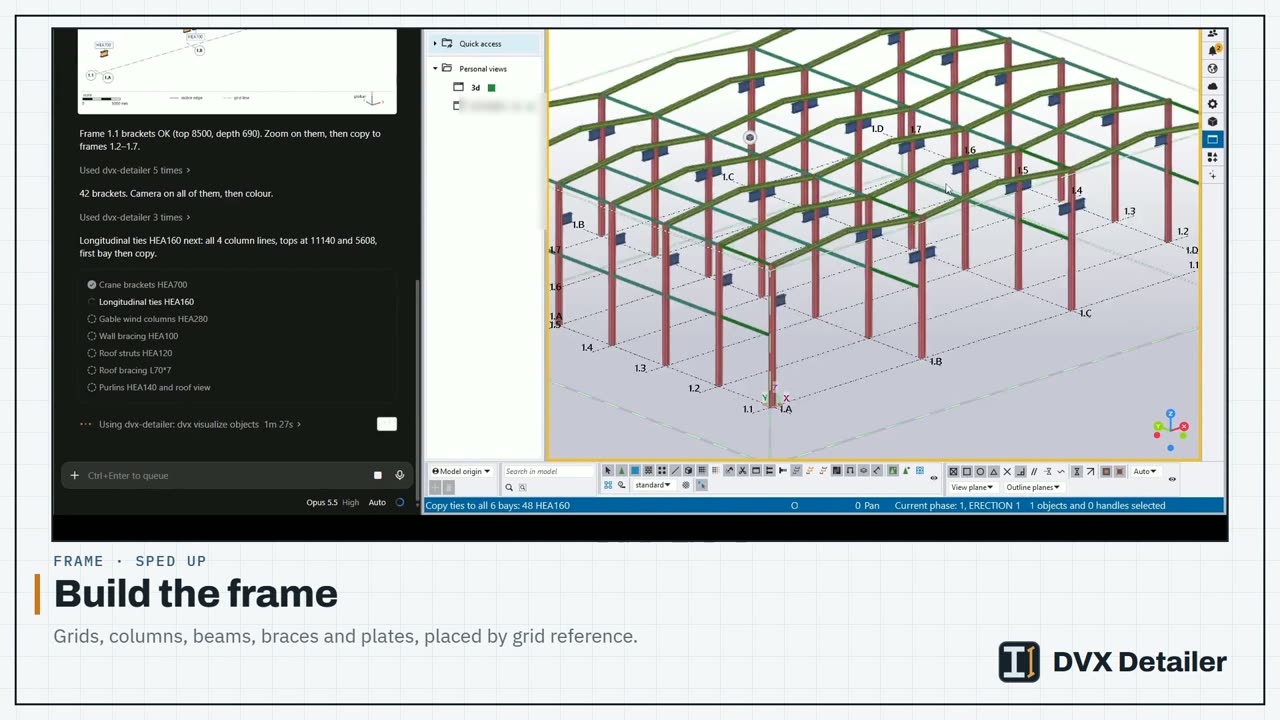
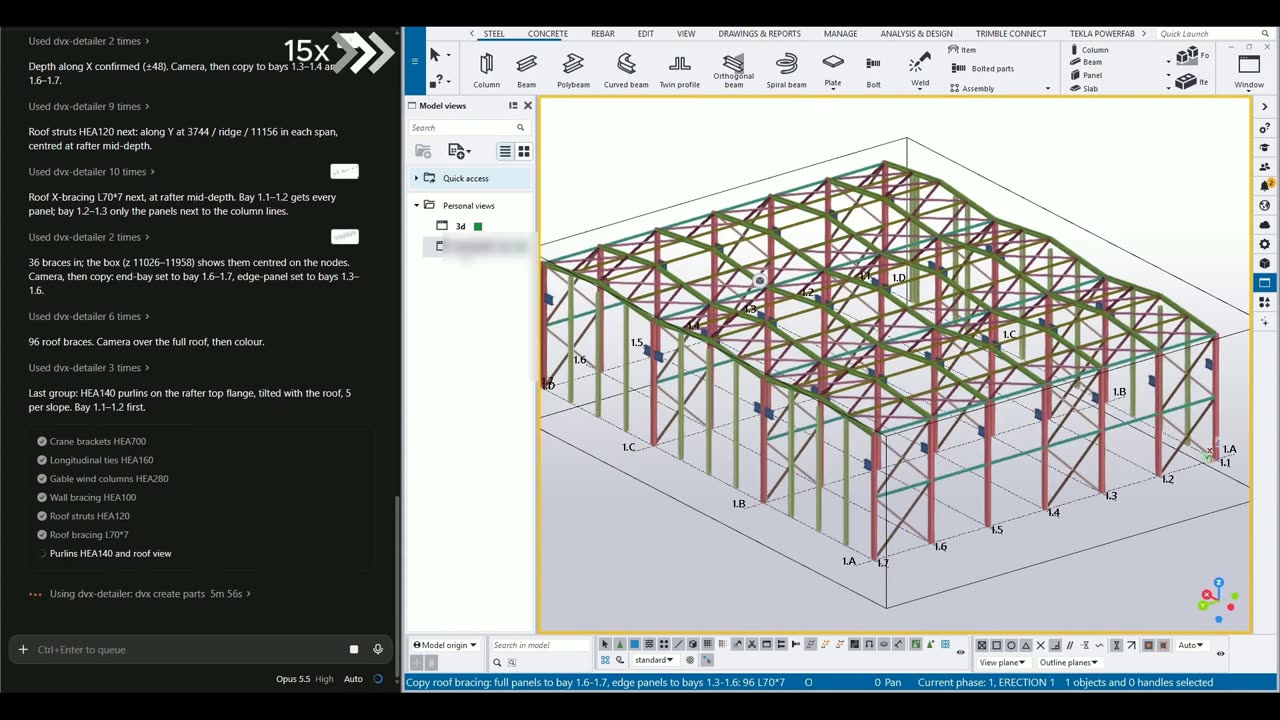
Grids, columns, beams, braces and plates, placed by grid reference and checked against your profile catalog, many members per request. Repeated floors are copied.

Joints

Detail a joint once, apply it everywhere

Builders make end plates, beam-to-beam joints, fin plates, gussets, base plates, cap plates and splices from real plates, bolts and welds. Save any joint and apply it to every matching joint, with a dry run first.

Checks

Check before it costs

After a write, the new parts are read back and compared with the plan. The model audit lists duplicate parts, loose parts, bolts through one part and welds that do not touch. A clash check lists the clashing pairs.

Output

Drawings and files

General arrangement, assembly and single-part drawings, with part marks placed, exported to PDF. NC files, plate DXF, IFC and reports come from the same conversation. Numbering runs only when you say yes.

Office

Your office's way of working

Saved connection types, project standards and saved tools stay with the project. A company pack can bring them to every PC in your office.

Features

  • Connection builders. End plates, fin plates, gussets, base plates, cap plates and splices, built from real plates, bolts and welds, with a dry run first.
  • A connections library. Save a connection you placed or detailed by hand, then apply it to every matching joint, in this model or in other projects.
  • Parametric connection plug-ins. The assistant writes a Tekla connection plug-in for your own joint. It rebuilds itself when a profile, angle or position changes, and is kept with its revisions in your office library.
  • Learns from your models. It reads your finished models and drawings to learn your office's joints, profiles, bolts and drawing practice, and suggests from them.
  • Drawings. General arrangement, assembly and single-part drawings, with marks and dimensions, exported to PDF.
  • Model checks. A model audit before numbering, a clash check, and quantity take-offs.
  • Undo and history. Every recorded run and committed change is kept in a change history and can be undone, deleted parts included.
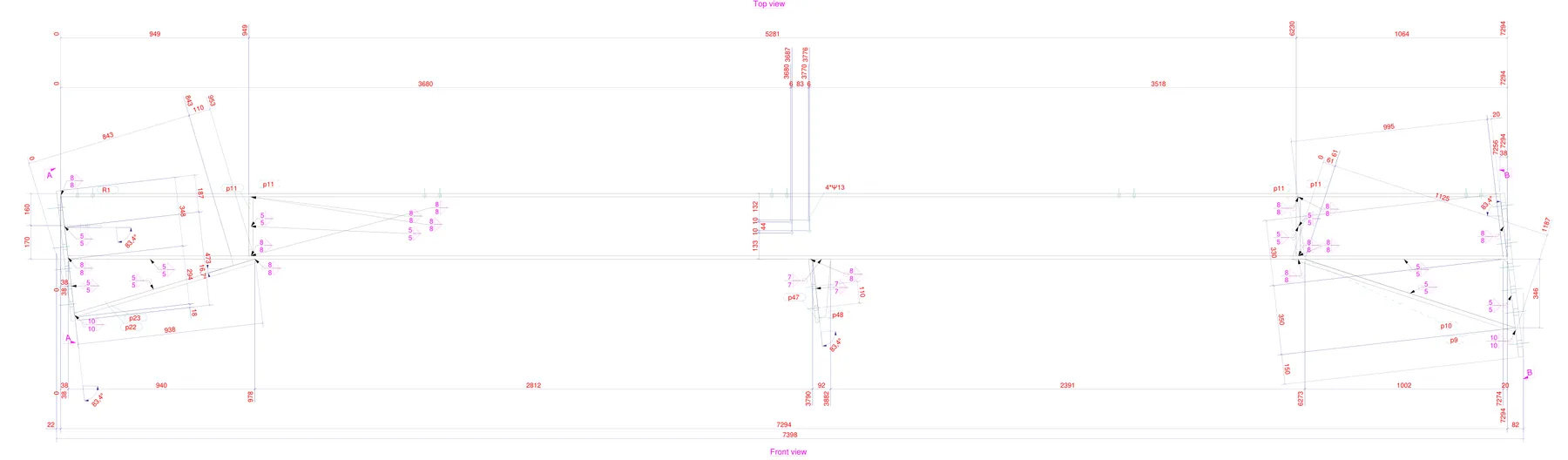
Assembly drawing of a steel rafter with running dimensions, weld symbols and part marks along its length.
Detail of a rafter assembly drawing as created: running dimensions, weld sizes and part marks.
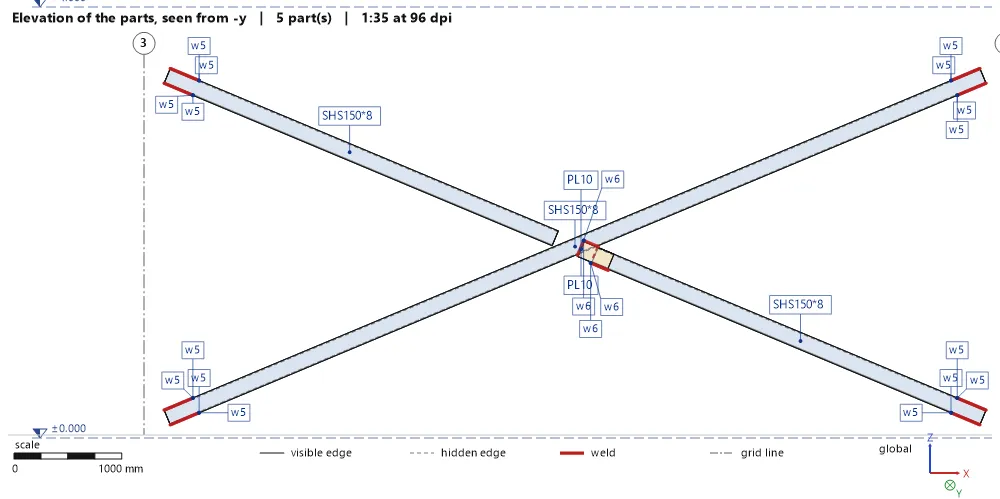
Elevation sketch of two crossing tube braces joined by small lap plates, with weld sizes labelled.
DVX Detailer's own sketch of a joint: what the assistant looks at before it repeats it.

How it works

It works inside the model you have open

DVX Detailer is a program on the same PC as Tekla Structures. Your AI assistant calls its tools, and it carries each request out in the open model through the Tekla Open API that is part of your installation.

DataVortx does not receive, store or see your models, drawings or requests. The licence is checked on your PC. What an online AI assistant reads from the model is sent to its provider under your agreement with them. Privacy

  1. 1

    Ask

    Say what you want in your own words, with the drawing or the selection it applies to.

  2. 2

    Dry run

    The assistant reports what would change, with counts and a picture. Nothing in the model has changed.

  3. 3

    Your yes

    It builds in batches. Deleting, numbering, cutting and removing need an explicit confirmation.

  4. 4

    Record

    Committed changes go into the model's history with what they replaced, and a recorded run can be undone.

Field tests

Measured in field tests

The numbers come from the server's own call records and from counts made in Tekla Structures after each run.

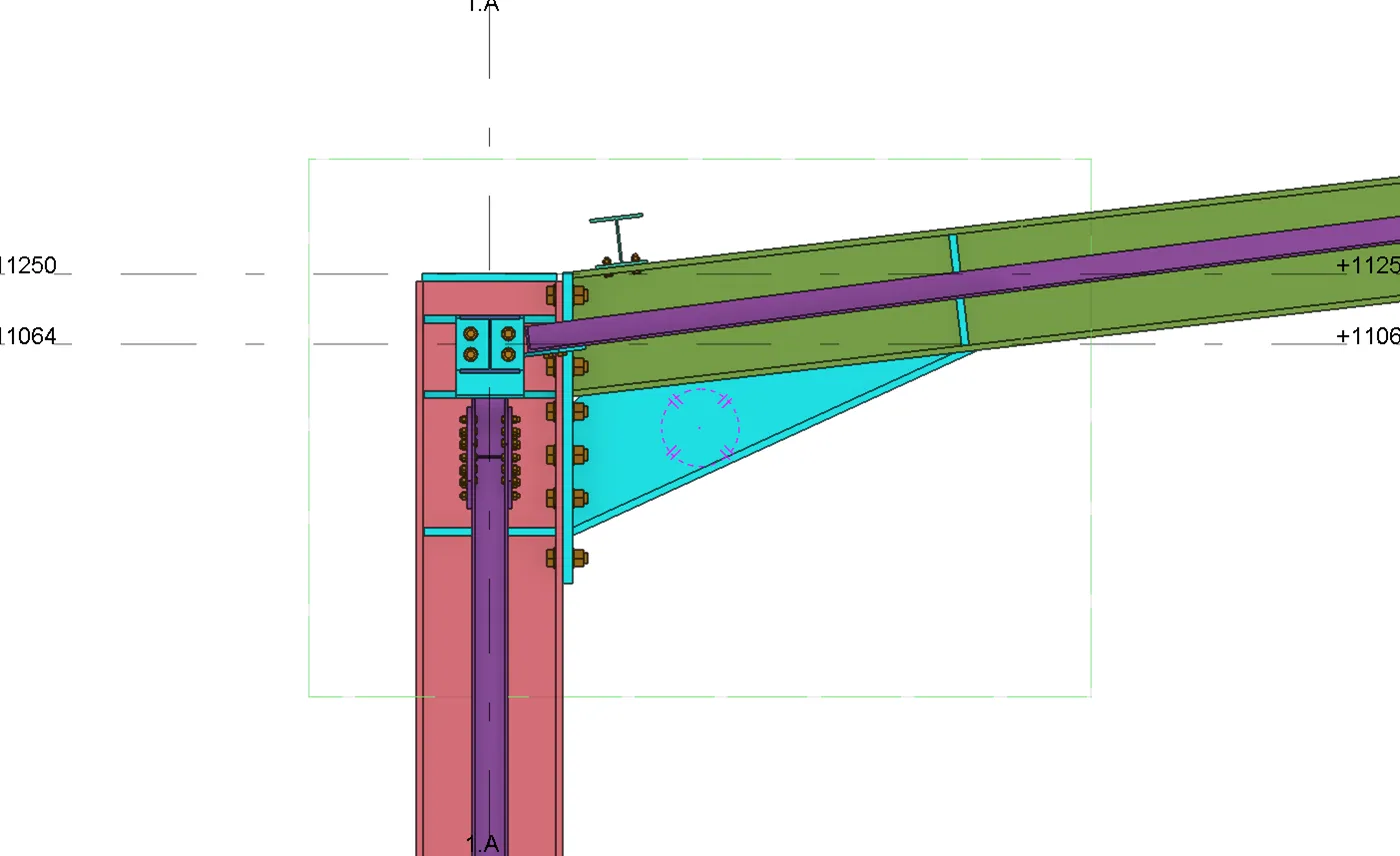
Front view of a haunched rafter bolted to a column with an end plate, stiffeners and a cap plate.

Field test 1

A detailed factory from a 581-page connection study

An AI agent team read the engineer's documents, built the model with every joint detailed, compared it with the study and produced the drawings. The project lead typed 12 messages.

3 h 57 min
agent working time
3,200 parts
171.2 t of steel
about 820
joints detailed
118
drawings to PDF
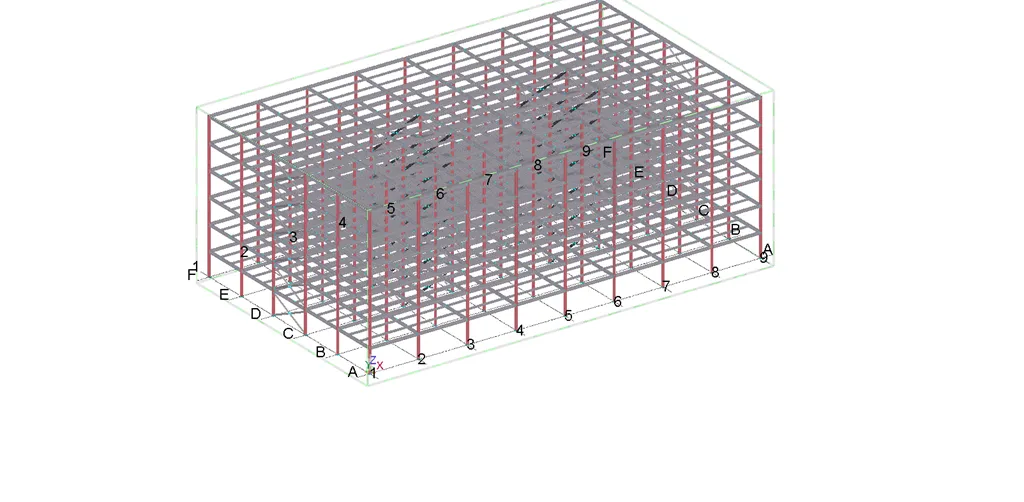
3D view of a six-storey steel office frame on an 8 by 5 bay grid.

Field test 2

Four models at once, from nothing, in about an hour

One session built a warehouse, an office frame and two roller coasters at the same time, each model open in its own Tekla Structures window. Every call reached the right model.

61 min
first call to last
13,066 parts
in the four models
6,463 calls
0 in the wrong model
2,478 joints
on the office frame

Test structures, not client work.

Read the four models field test

Control

You stay in control

An assistant that can change a production model has to be easy to check. These rules are part of DVX Detailer's tools, the same for every assistant and every request.

Dry run first

Every write can report exactly what it would change and touch nothing.

Committed only on request

Changes stay pending until a commit is requested, and a whole job can be one undo step.

Confirmation before it destroys

Deleting, numbering, cutting and removing components need an explicit confirmation.

Refused, never cut short

A selection larger than a tool's limit is refused, not silently shortened.

Read back after writing

New parts are compared with what was planned, and any drift is reported in millimetres.

A record of every call

Time, model, tool and outcome, searchable in the monitor window. A recorded run can be undone.

Limits

DVX Detailer is a helper for modelling, detailing and checking. It does no structural calculations and no checks against any standard, and it approves nothing for fabrication. Its results are produced with an AI model and can be incomplete or wrong: a qualified person reviews every change before it is relied on.

Free trial

Try it for 5 days

Sign up with your work email. We send you an account key and the link to the setup. No card is needed. If Windows warns you when you install it, see the note on the setup.

  • Five days with the full product, on your own Tekla Structures 2026.
  • Try it on a copy of a real job, with the assistant you already use.
  • Paste the key once on each PC. Your colleagues use the same key.
  • When you want to keep it, buy seats from the program or from the link in your trial email. See pricing.

How to start

From trial to subscription

Start with the free trial on your own jobs. When it works for you, buy seats from the program. Nothing changes on your PC.

  1. 1

    Start the trial

    Sign up with your work email. We send you an account key and the link to the setup. No card is needed.

  2. 2

    Install and paste your account key

    Install the setup (if Windows warns you, see the note on the setup) and paste the key once on each PC. Colleagues use the same key.

  3. 3

    Connect the assistant you already use

    Claude Desktop, Claude Code, the ChatGPT desktop app or Codex, or LM Studio. Each user accepts the terms once.

  4. 4

    Buy when you are ready

    Click Buy in the program's licence window, or use the link in your trial email. Choose monthly or yearly and the number of seats.

What you need

  • Windows 10 or 11, 64-bit
  • Tekla Structures 2026 under your company's own licence, with a model open on the same PC
  • Claude Desktop, Claude Code, the ChatGPT desktop app or Codex, or LM Studio
  • An account key, from the trial sign-up
Download the setup

DvxDetailer-win-Setup.exe. The same account key works during the trial and after you buy.

The setup is not code-signed yet, so Windows may show “Windows protected your PC”. Click More info, then Run anyway. Get the setup only from this site. The program offers only updates named in a release list signed by DataVortx.

Pricing

One plan, per seat

Subscription per seat

USD 59 a month

or USD 590 a year, about 2 months free

  • Updates and support included while you are subscribed
  • Works offline for up to 30 days. Online, it renews its licence by itself about once a day.
  • Cancel from the program: it runs to the end of the paid period, then stops
Start a 5-day trial

Larger enterprise? Special pricing is available: contact us.

A seat is one Windows user on one PC: five people on one remote desktop server use five seats. Prices are in US dollars; sales tax or VAT is added at checkout where it applies.

Watch the overview: from the engineer’s drawings to the frame, joints, checks and parametric connections in Tekla Structures. Some parts are sped up.

Buy

Click Buy in the program's licence window, or use the link in your trial email. Choose monthly or yearly and the number of seats. Payment is by Stripe, and receipts and invoices come from Stripe. A full refund within 14 days of a payment: see the refund policy.

Manage

Click Manage subscription in the program to change the card, see invoices, add or remove seats, switch between monthly and yearly, or cancel. To move a seat to another PC, release it in the program.

Larger enterprises and custom work

Special pricing is available for larger enterprises: contact us. A company pack can also bring your office's connections, standards and tools to every PC, on request.

Questions

Common questions

Does it replace the detailer or the engineer?
No. It carries out what a detailer asks and shows its work. The engineer still decides and signs, and a person reviews every change.
Does it check strength, or against a standard?
No. It models what the drawings show and records where it had to assume. It runs no calculations.
Is Tekla Structures included?
No. DVX Detailer contains no Tekla Structures software. It works through the Open API of your own licensed installation.
Which AI assistants does it work with?
Claude Desktop, Claude Code, the ChatGPT desktop app and Codex, and LM Studio for a model on your own PC. ChatGPT on the web cannot reach a program on your PC.
Where do our models go?
DVX Detailer runs on your PC, and DataVortx never receives your models, drawings or requests. What your AI assistant reads from the model is sent to its provider under your agreement with them. With LM Studio it stays on your PC.
Can it work on several models?
Yes. With several models open, each call names its model and reaches only that one.

Put it to work on your own jobs

Questions, a larger office, or a company pack with your own connections, standards and tools? Send us a short note about your office and the work you detail.

End-user terms

DVX Detailer - terms of use (version 2026-10-27)

1. What DVX Detailer is. DVX Detailer ("the Software") is software that DataVortx develops, maintains and supports for your company ("the Company") under a development agreement between the Company and DataVortx ("the Agreement"), as part of the Company's own internal tools. It runs on this computer and connects an AI client the Company uses (for example Claude Desktop, Claude Code or ChatGPT) to the copy of Tekla Structures installed on the same computer, through the Tekla Open API that is part of that installation. It is a helper for building, detailing, reviewing and documenting models. It is not made, endorsed, certified or supported by Trimble, and it contains no Tekla or Trimble software or files.

2. Your Tekla Structures licence. Use the Software only on a computer where Tekla Structures is installed under a valid licence the Company holds, and only while the Company has assigned that licence to you. These terms grant no right to Tekla Structures. Use of Tekla Structures, including through the Software, is governed by the Company's agreement with Trimble, and the Company and you are responsible for complying with it.

3. Your AI client. The AI client and the model behind it are provided by a third party under that third party's terms. Content the AI client reads through the Software (for example object properties, model information or images) is sent to the AI provider under the Company's agreement with that provider. You choose what the AI client may do and you approve its actions.

4. It runs on this computer. The Software runs locally. DataVortx does not receive, store or see your models, drawings or the requests your AI client makes, and does not operate Tekla Structures on your behalf. Where the Agreement includes a licence check, the Software contacts DataVortx only for that check, sending a licence identifier, hashed user and computer identifiers and the Software version.

5. A helper, not an engineering tool. The Software does not perform structural design, design checks, code-compliance checks or fabrication approval. Changes, connections, dimensions, quantities and reports produced through it are suggestions generated with an AI model and may be incomplete or wrong. The Company and you remain responsible for your models and your work: you, or a qualified person the Company appoints, must review every change before relying on it, issuing drawings or releasing anything for fabrication or construction. Keep backups of your models, and use the Software's dry runs, confirmations and undo where available.

6. Use within the Company. You may use the Software only for the Company's own work, for the term of the Agreement, and within the number of users it covers. You may not copy it to anyone outside the Company, resell, sublicense or redistribute it, or remove its notices. Ownership, updates, support and any other rights are as set out in the Agreement.

7. No warranty. Except as the Agreement provides, the Software is provided "as is", without warranties of any kind, express or implied, including fitness for a particular purpose, accuracy of results and uninterrupted operation, to the extent the law allows.

8. Limitation of liability. Except as the Agreement provides, and to the extent the law allows, DataVortx is not liable for indirect, incidental, special or consequential damages, or for loss of data, models, profits or business, arising from use of the Software.

9. Trademarks. Tekla and Tekla Structures are trademarks or registered trademarks of Trimble Solutions Corporation and/or Trimble Inc. Claude is a trademark of Anthropic, PBC; ChatGPT is a trademark of OpenAI. References to them describe compatibility only.

10. Changes and acceptance. When these terms change, the Software asks you to accept the new version before it continues. Your acceptance is recorded on this computer with the date, the terms version and your Windows user name. If these terms and the Agreement differ, the Agreement prevails.

Open the terms page in a new tab

Contact us

Tell us about your office and the work you detail, or ask a question. We answer by email.